
Connect Shopify with Zepofy Via WhatsApp
Connect your Shopify store with Zepofy to automate WhatsApp messages across sales, checkout, and post-purchase journeys. Engage customers instantly, reduce drop-offs, and scale store communication using the official WhatsApp Business API.
- Automate WhatsApp conversations at scale
- Recover lost sales with smart automation
- Integrate easily with your eCommerce store

Use Cases: How Shopify + Zepofy Drives Growth
Zepofy connects Shopify with WhatsApp automation to increase engagement, boost conversions, and simplify customer communication across the shopping journey.

Recover Checkout Abandonment
Send automated WhatsApp reminders to customers who abandon checkout, helping convert high-intent shoppers into completed purchases quickly.

Instant Order Alerts
Notify customers on WhatsApp when orders are placed or payments are confirmed, improving transparency and reducing support queries.

COD Order Verification
Verify cash-on-delivery orders through WhatsApp to reduce fake orders, lower returns, and improve delivery success rates.

Post Purchase Updates
Share shipping and order updates on WhatsApp to keep customers informed and strengthen post-purchase trust.

Customer Feedback Collection
Collect ratings and reviews via WhatsApp after delivery to gain insights and improve store credibility.

Promotional Campaign Messaging
Send targeted WhatsApp promotions to segmented Shopify customers to drive repeat purchases and increase customer lifetime value.
Connect Shopify with Zepofy in Simple Steps
Follow these steps to integrate Shopify with Zepofy and automate WhatsApp communication securely.
Step 1: Access Admin
- Login to Shopify admin dashboard using your store credentials
- Go to apps and sales channels section from sidebar
- Click develop apps option to manage custom applications
- Enable custom app development access from settings panel
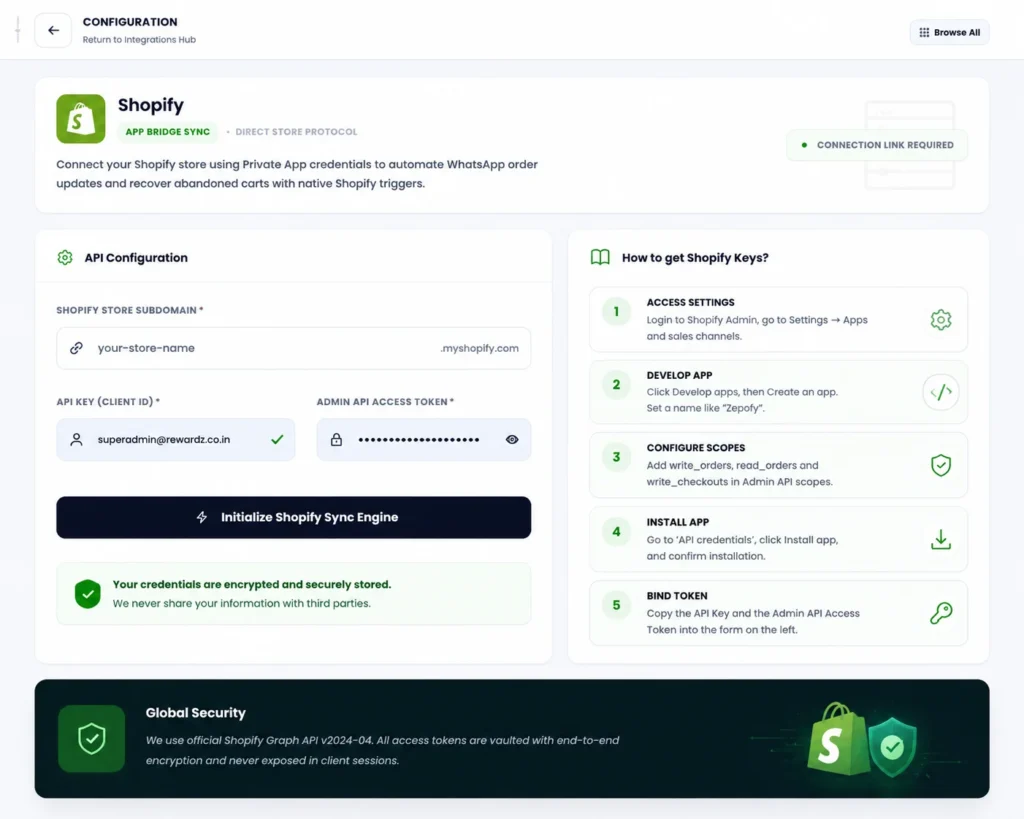
Step 2: Create App
- Click create app button to start new application
- Enter app name and assign developer account details
- Configure API scopes required for store data access
- Generate API credentials including key and access token
Step 3: Connect with Zepofy
- Enter your store name in Zepofy integration setup
- Add API keys and access token in credentials fields
- Click start sync button to initiate data connection
- Verify integration status to ensure successful connection
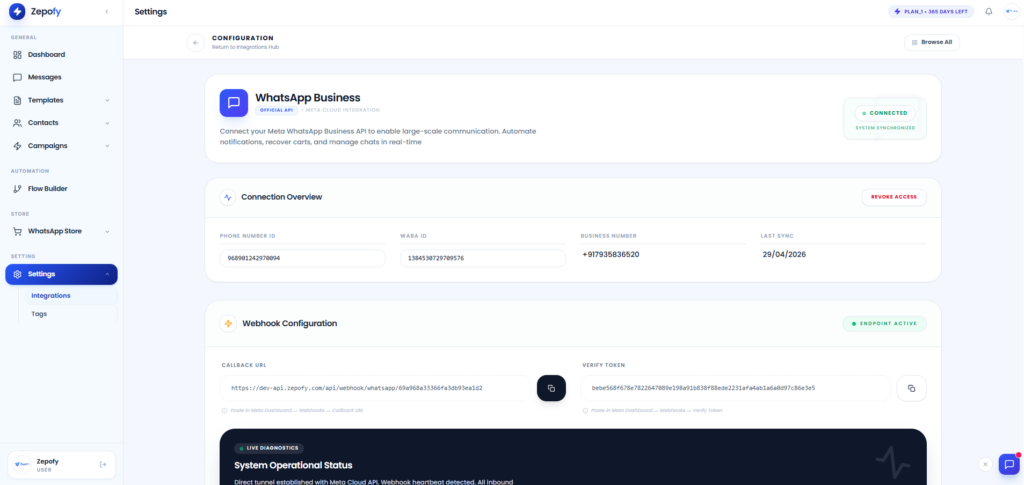
Step 4: Enable Automation
- Sync products automatically from Shopify to Zepofy system
- Automate store updates including orders and inventory changes
- Recover abandoned carts to improve conversions and sales
- Monitor automation performance directly from Zepofy dashboard panel
Connect Shopify with Zepofy in Simple Steps
Follow these steps to integrate Shopify with Zepofy and automate WhatsApp communication securely.
Ready to Automate WhatsApp for Your Business?
Set up WhatsApp Business API, chatbots, broadcasts, and integrations — all in one place.
FAQ's
How does WhatsApp automation work with Shopify?
Zepofy listens to Shopify store events like checkout, orders, and fulfillment, then automatically sends WhatsApp messages based on those actions.
Can I send Shopify order notifications on WhatsApp?
Yes, Zepofy allows you to send automated WhatsApp order confirmations, payment updates, shipping alerts, and delivery notifications for Shopify orders.
Does Zepofy support COD order confirmation for Shopify?
Yes, Zepofy enables WhatsApp-based COD order verification to reduce fake orders, lower RTO rates, and improve delivery success.
Can multiple team members manage Shopify WhatsApp chats?
Yes, Zepofy provides a centralized WhatsApp inbox where multiple agents can manage Shopify customer conversations and support requests.
Can Zepofy handle high Shopify order volumes?
Yes, Zepofy is built to support high-volume Shopify stores and can handle large-scale WhatsApp message automation reliably.